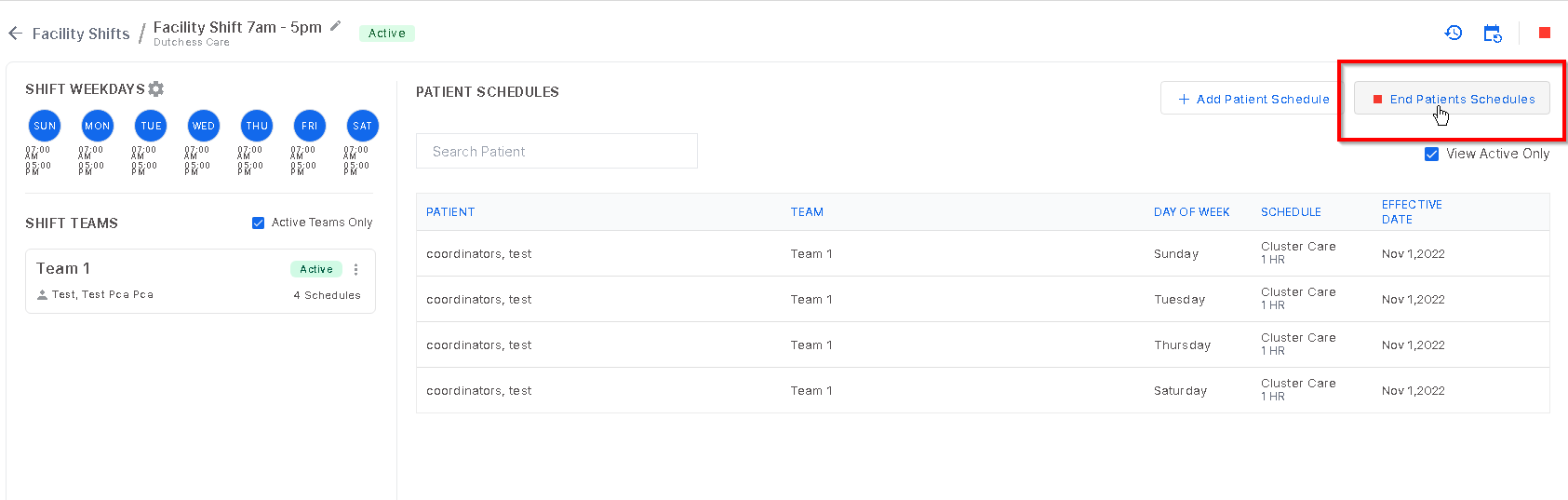
To end a specific patients' schedule, select "End Patients Schedules".
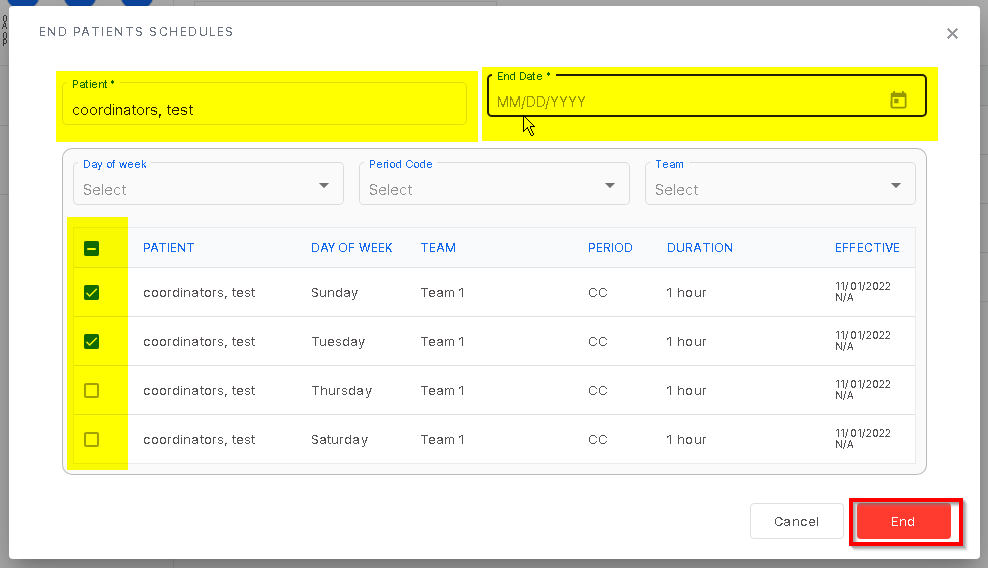
Enter the patient name and their schedule will show below. Here, select the weekdays to be ended. The check box to the left allows one day or multiple days to be selected. When all necessary information is entered, click "End".
Was this article helpful?
That’s Great!
Thank you for your feedback
Sorry! We couldn't be helpful
Thank you for your feedback
Feedback sent
We appreciate your effort and will try to fix the article