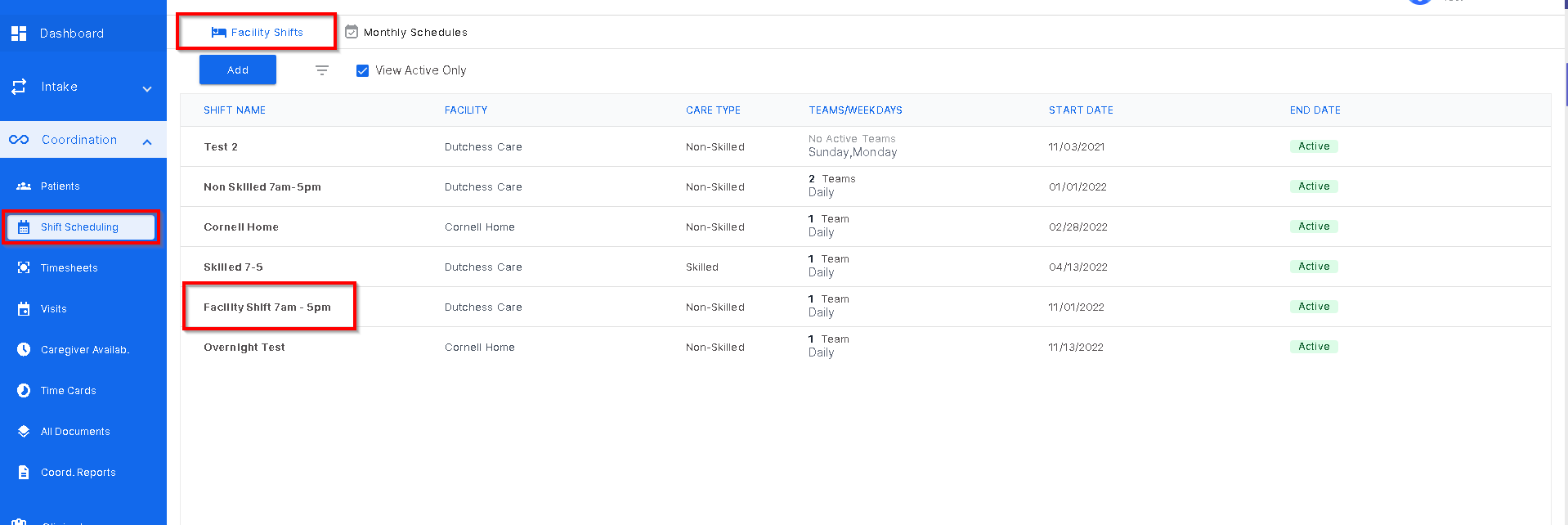
To edit a patient shift schedule, go to Shift Scheduling then Facility Shifts and select the shift the patient is on.
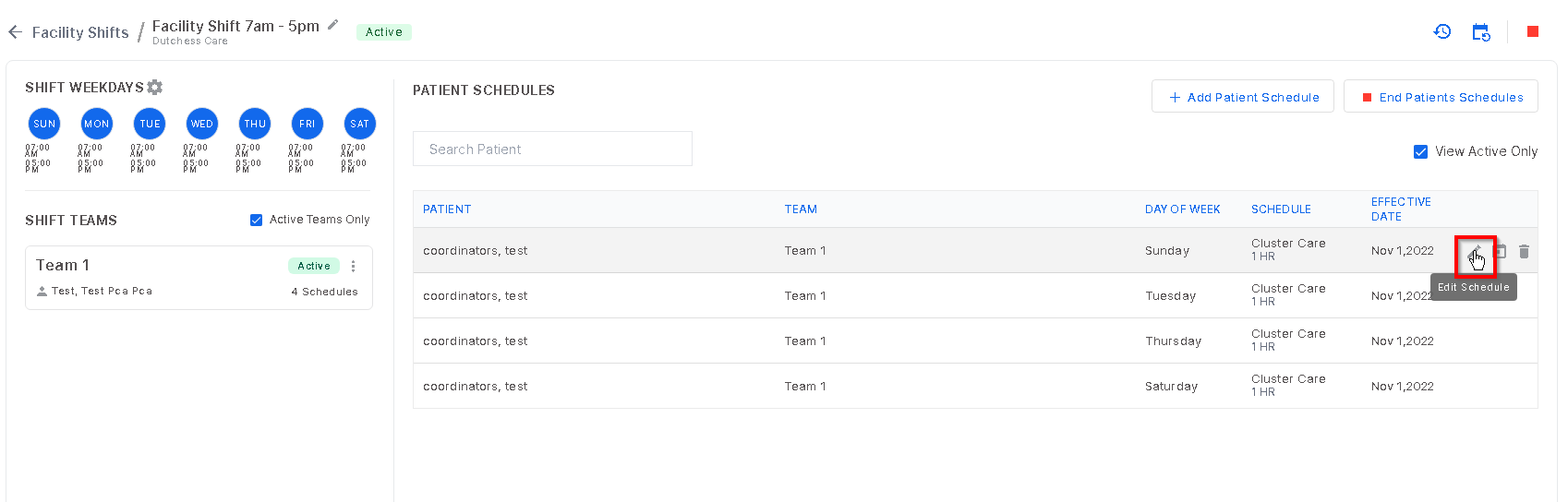
Once in the desired shift, search the patient name and hover over the patient name to see the edit icon or "pencil" icon to begin editing.
The edit screen will open and any information can be changed here. Once done click "save".
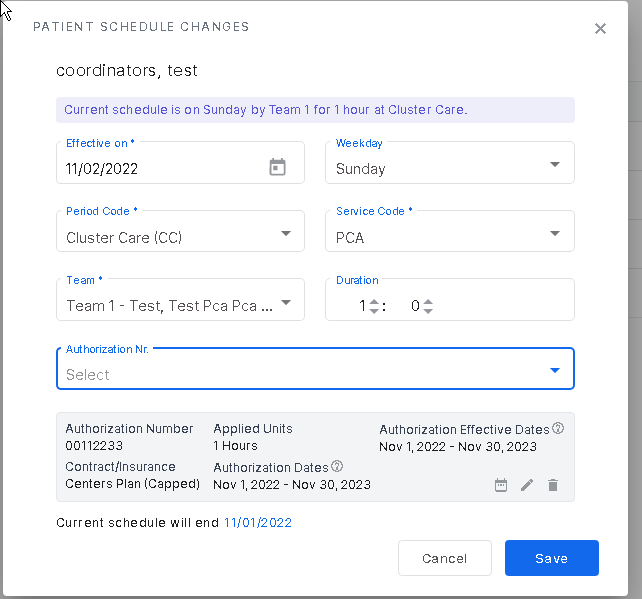
(The previous schedule will end 1 day prior to the effective date of the change, as stated on bottom of the modal)
Was this article helpful?
That’s Great!
Thank you for your feedback
Sorry! We couldn't be helpful
Thank you for your feedback
Feedback sent
We appreciate your effort and will try to fix the article