To add a masterweek, go to the patient profile, click Coordination, and then click Masterweek.
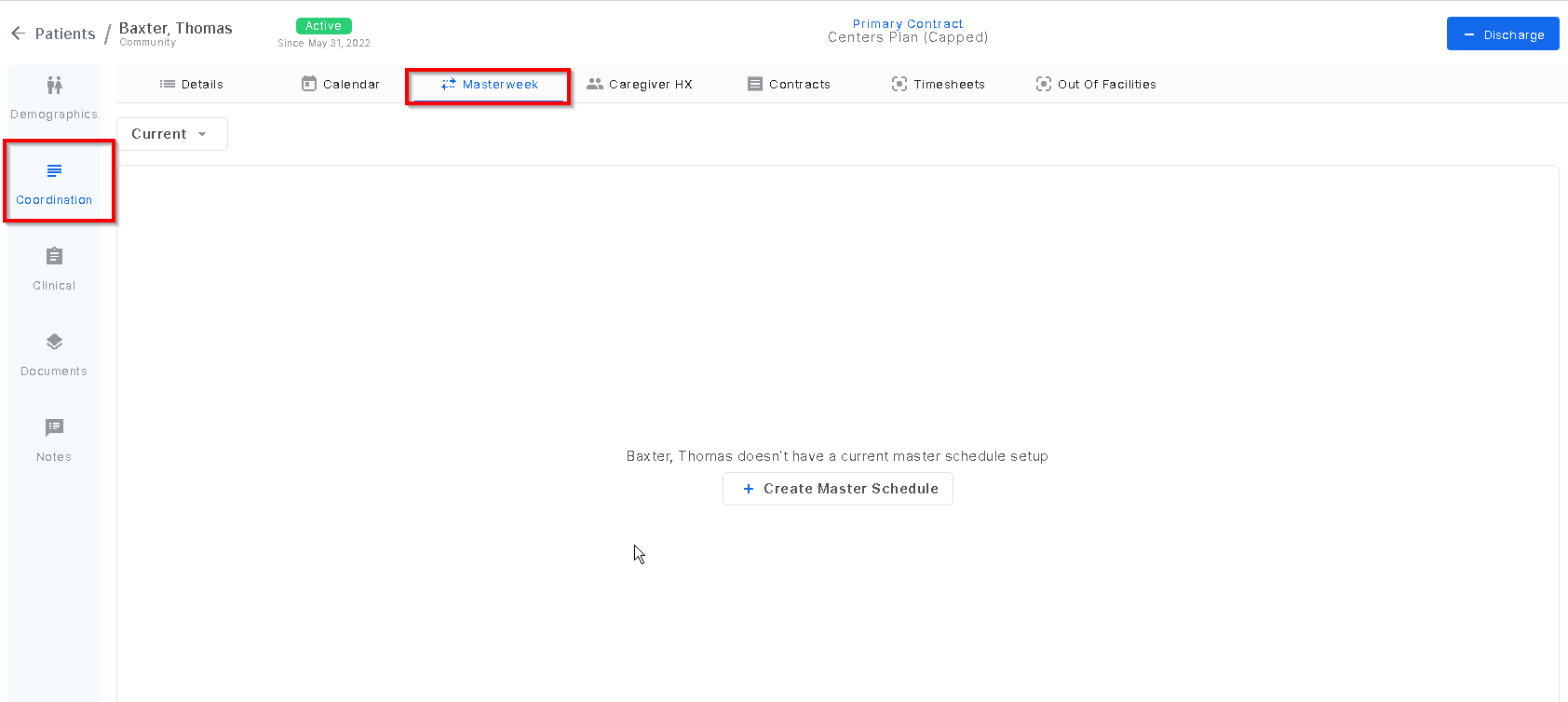
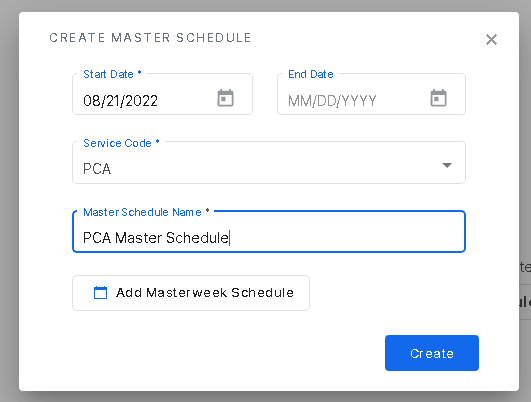
Once there, click "create master schedule" and enter the start date, service code, and personalize the masterweek with a name. Once the info is entered, select "add masterweek schedule".
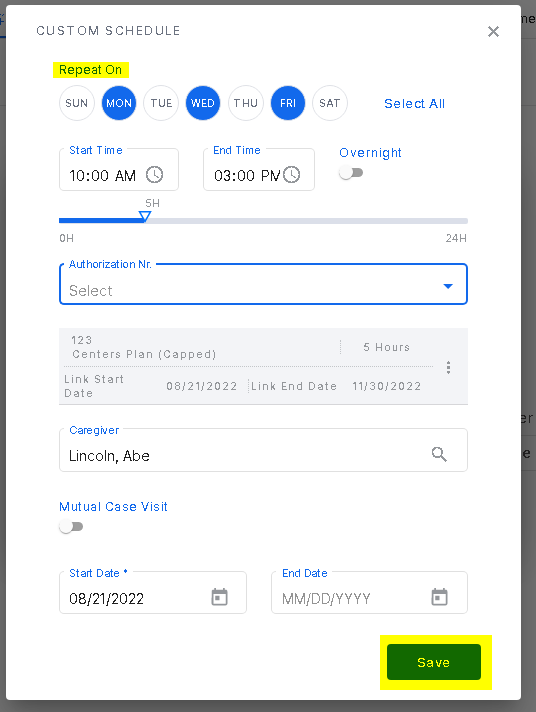
On this screen, if the hours and caregiver is the same for multiple days, you can select those days and enter the information once. For example, if aide Lincoln, Abe is working 10am-3pm on Monday, Wednesday and Friday, you will only have to enter the name and hours once and click on the days at the top. Once done, click save.
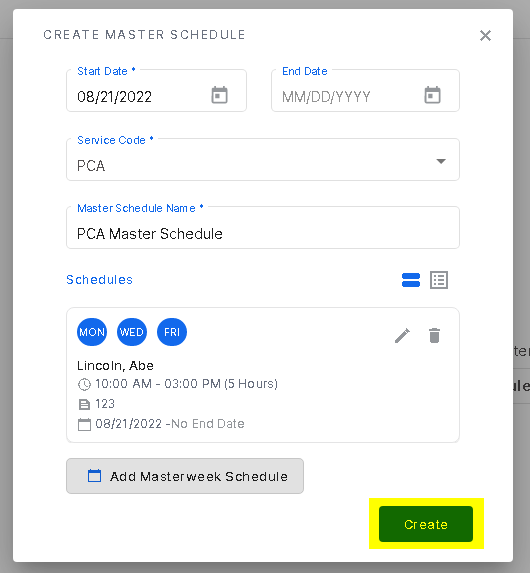
After saving, review the data entered and click "create". This will roll out visits for the amount of days in the future that the system is configured for
Was this article helpful?
That’s Great!
Thank you for your feedback
Sorry! We couldn't be helpful
Thank you for your feedback
Feedback sent
We appreciate your effort and will try to fix the article