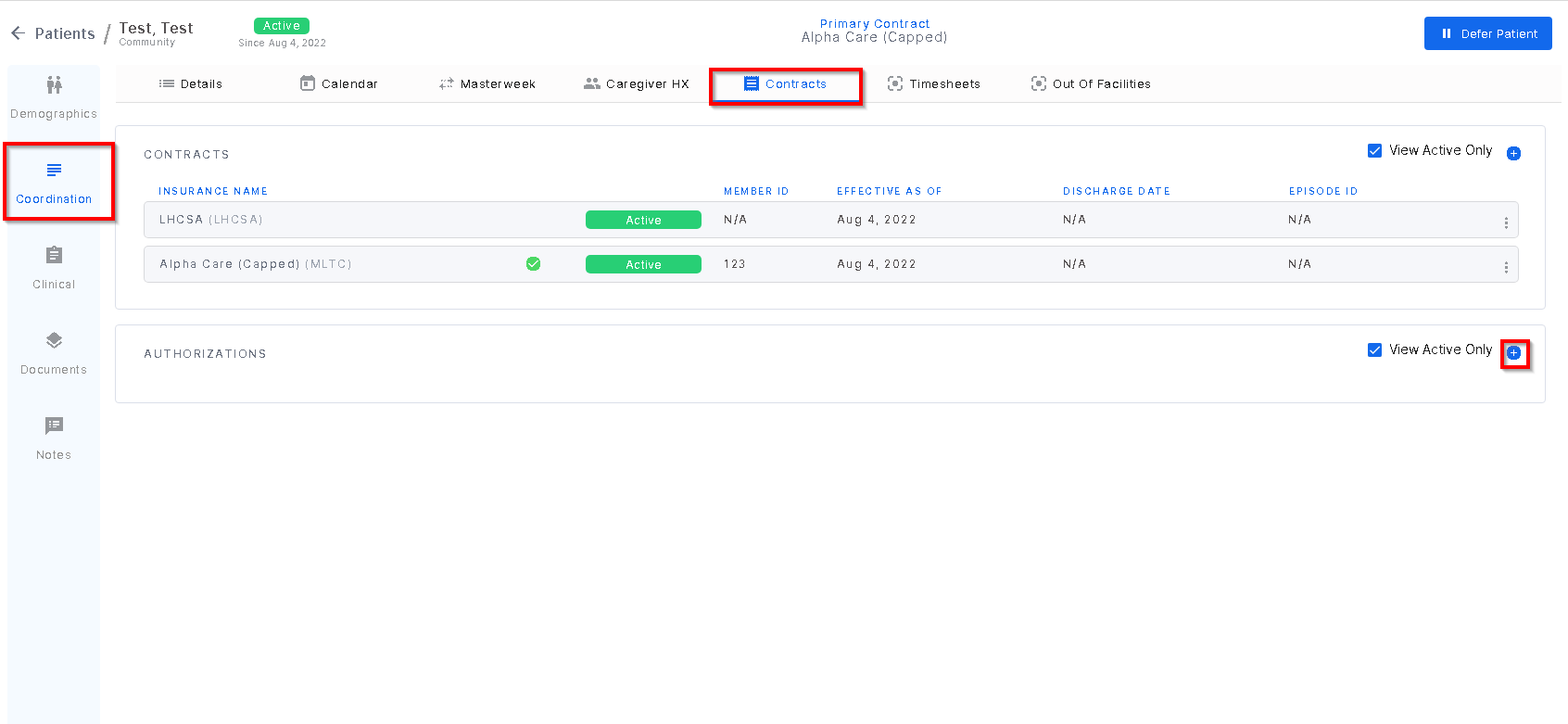
To add an authorization for a patient, go to the Contracts tab within a patient profile. Under the Authorizations section, click the "plus sign" icon.
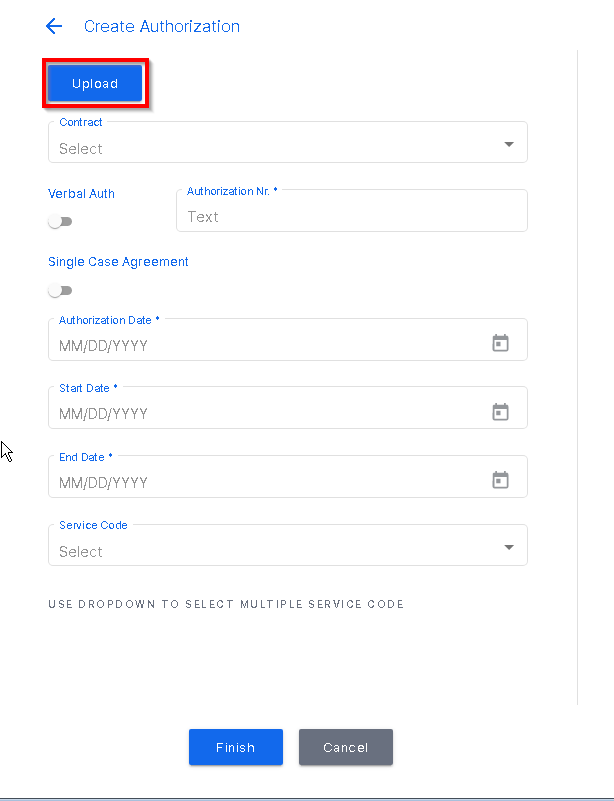
The "upload" button will access saved files in the windows explorer. This allows the paper document to be linked to the authorization entry.
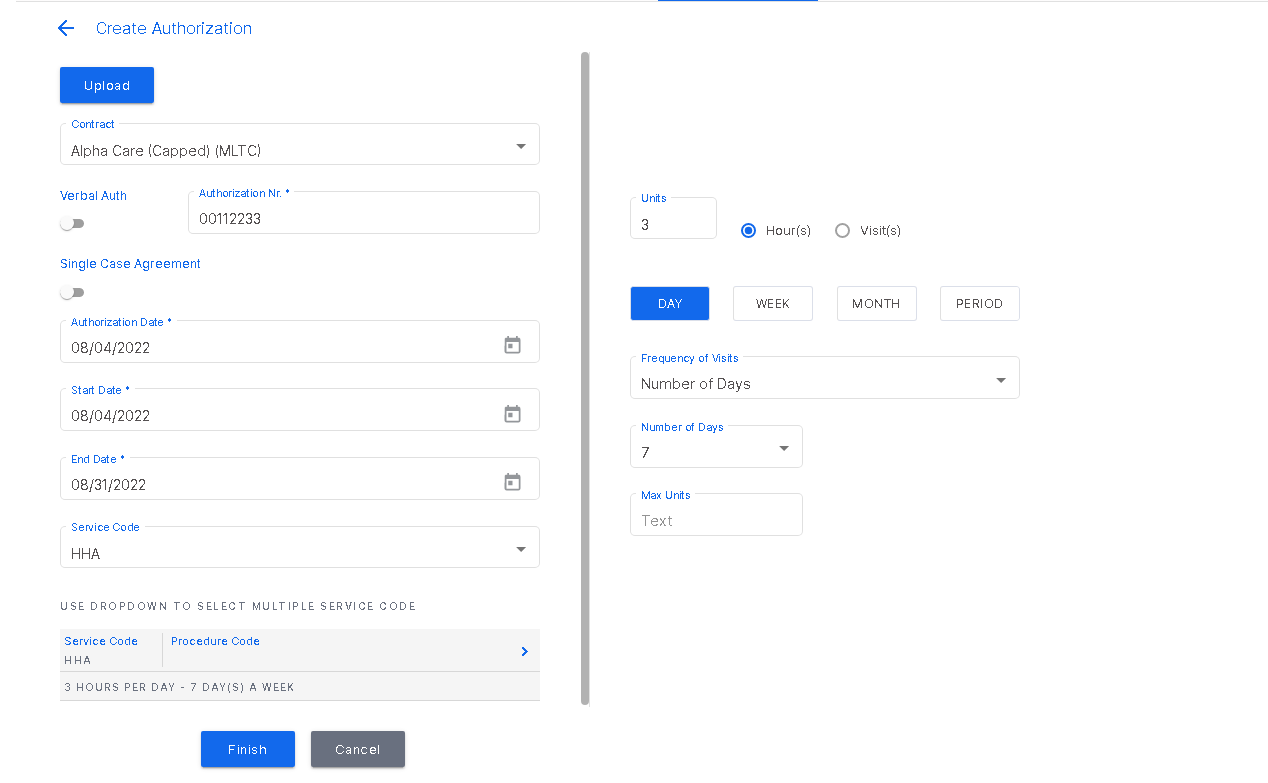
Enter all required information up to Service Code. Once the Service Code is entered, click Procedure code to open the window to the right and enter all required information. When finished, click "finish".
Was this article helpful?
That’s Great!
Thank you for your feedback
Sorry! We couldn't be helpful
Thank you for your feedback
Feedback sent
We appreciate your effort and will try to fix the article