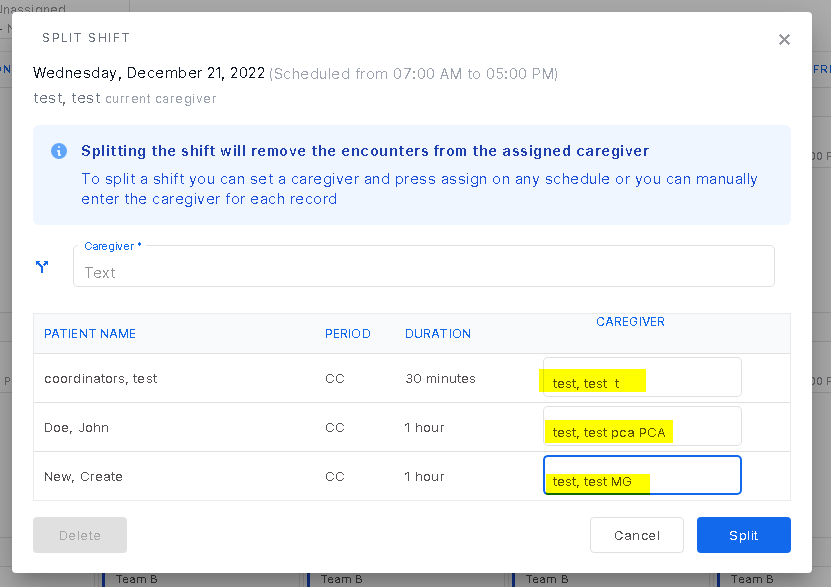
The ability to split a shift is there when there is an instance when a caregiver calls out of a shift and coverage is found or another caregiver working that shift will be taking on those patients. This ability was created to be able to split a shift in bulk as patients in a home are being seen in clusters. To split a shift in Monthly Schedules, go to the day of the week desired and click on it. Click the three dots on the visit on the side bar and click the three dots. Select "split shift" and enter the new caregiver covering the patient next to the patient name and click "split". Different caregivers can be assigned to different patients.
Was this article helpful?
That’s Great!
Thank you for your feedback
Sorry! We couldn't be helpful
Thank you for your feedback
Feedback sent
We appreciate your effort and will try to fix the article