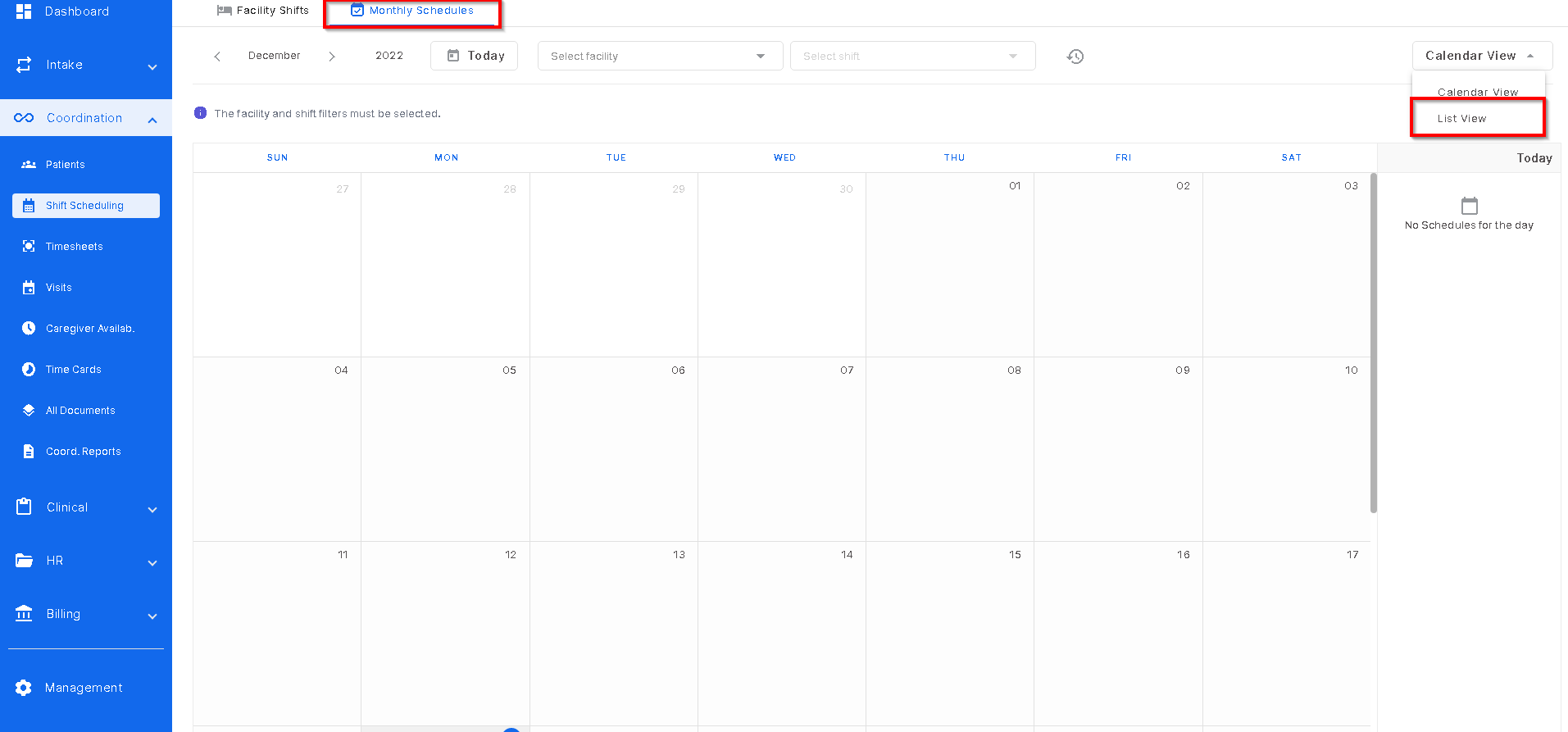
There is the ability to run reports in Monthly Schedules to help the user manage the homes and the caregivers providing care in those homes. This report will show what caregivers are on shifts, if there are shifts without a caregiver assigned, if the caregiver clocked in or not, and other shift information. To find this report, go to Monthly Schedules and click the drop down at the top right corner of the screen and select "list view".
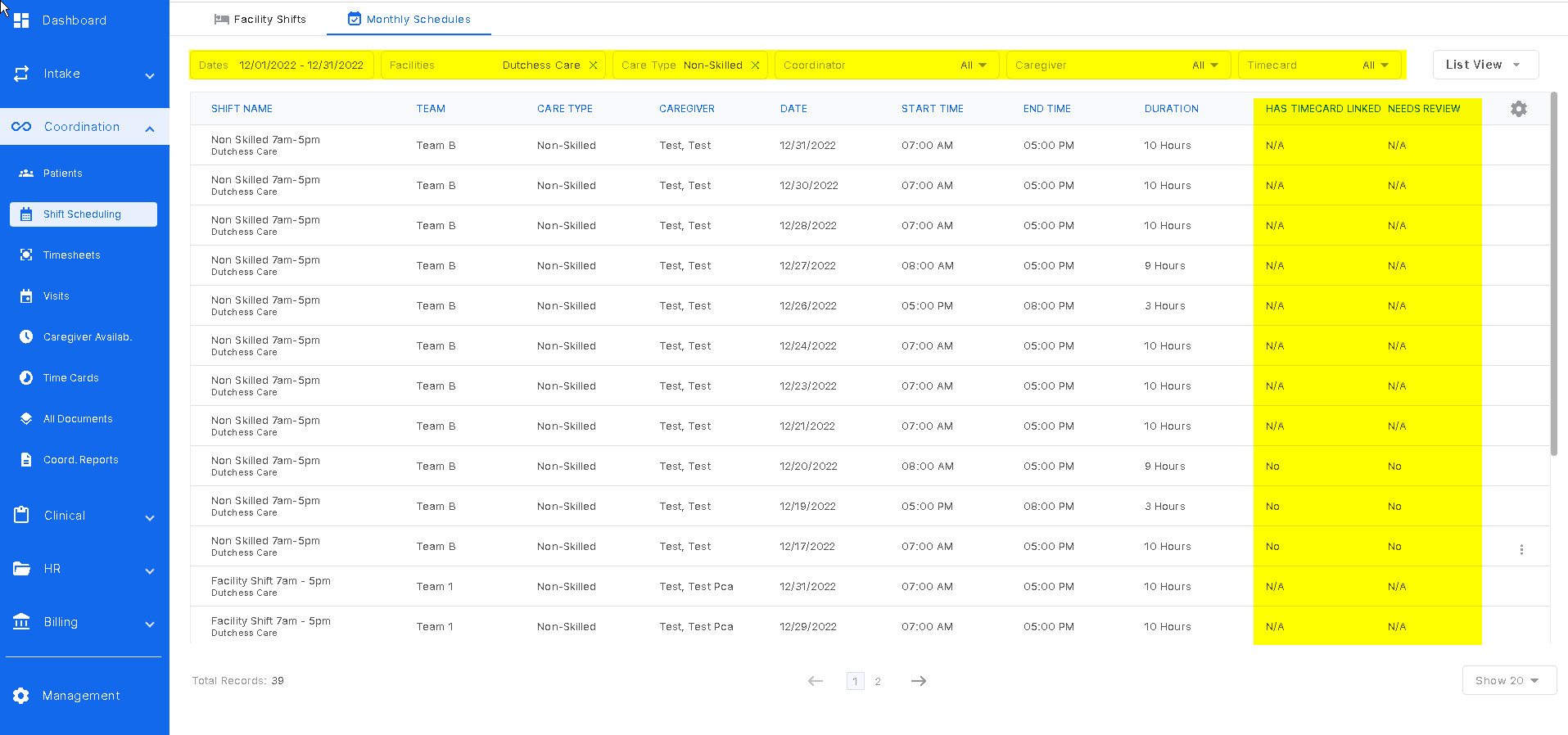
The filters at the top of the screen will help refine the users search. The highlighted columns in this screenshot show the area the user will need to track the caregivers timecards (or clock ins). This is helpful to track the hours each caregiver has worked or to make sure the caregivers are clocked in while providing care to the patients.
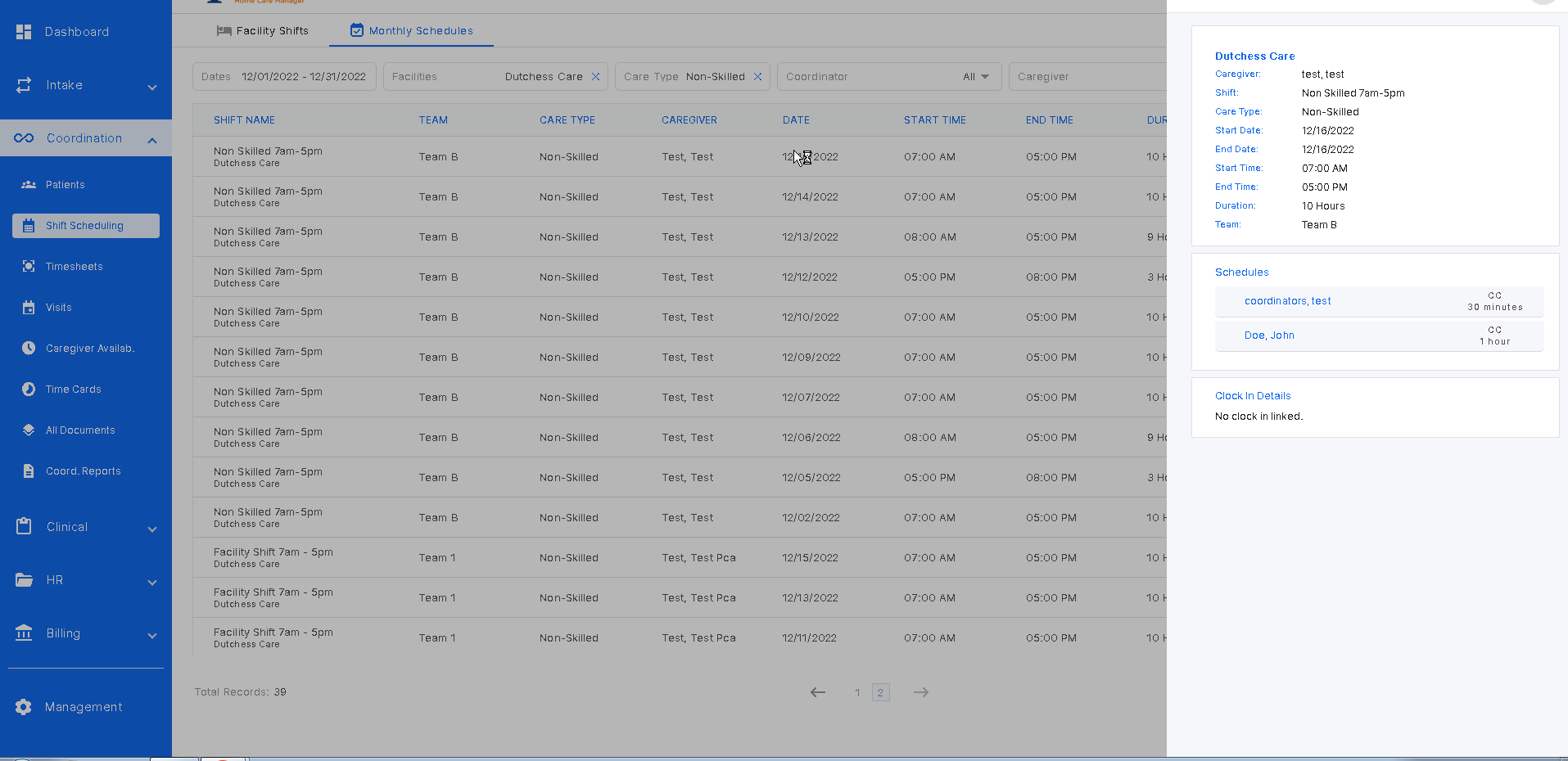
Clicking on any row create a slide out with all shift information listed there.
Was this article helpful?
That’s Great!
Thank you for your feedback
Sorry! We couldn't be helpful
Thank you for your feedback
Feedback sent
We appreciate your effort and will try to fix the article