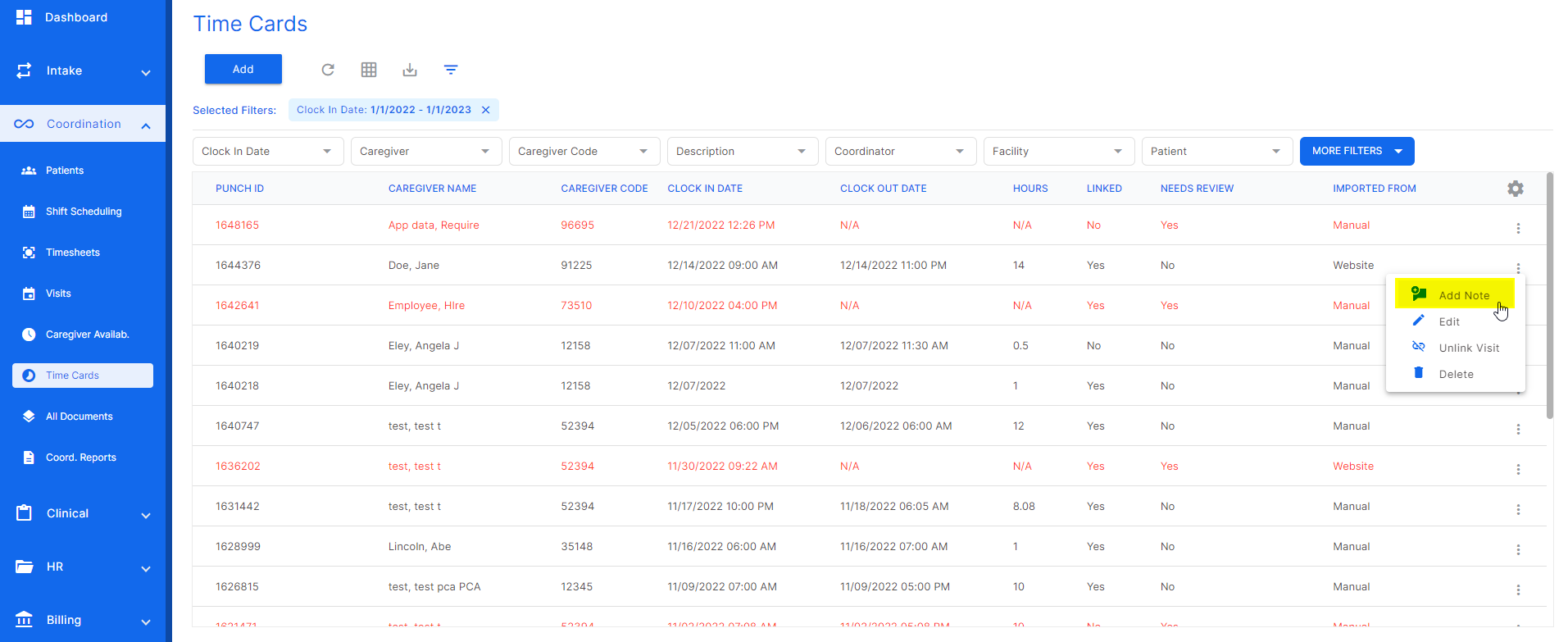
To add a note to a timecard, select the three dots at the end of the desired timecard row and click "add note".
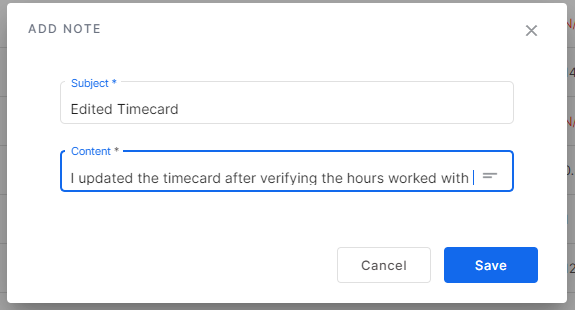
This screen will open allowing the user to add a timecard note. Enter the subject and content of the note here. Once done, click "save".
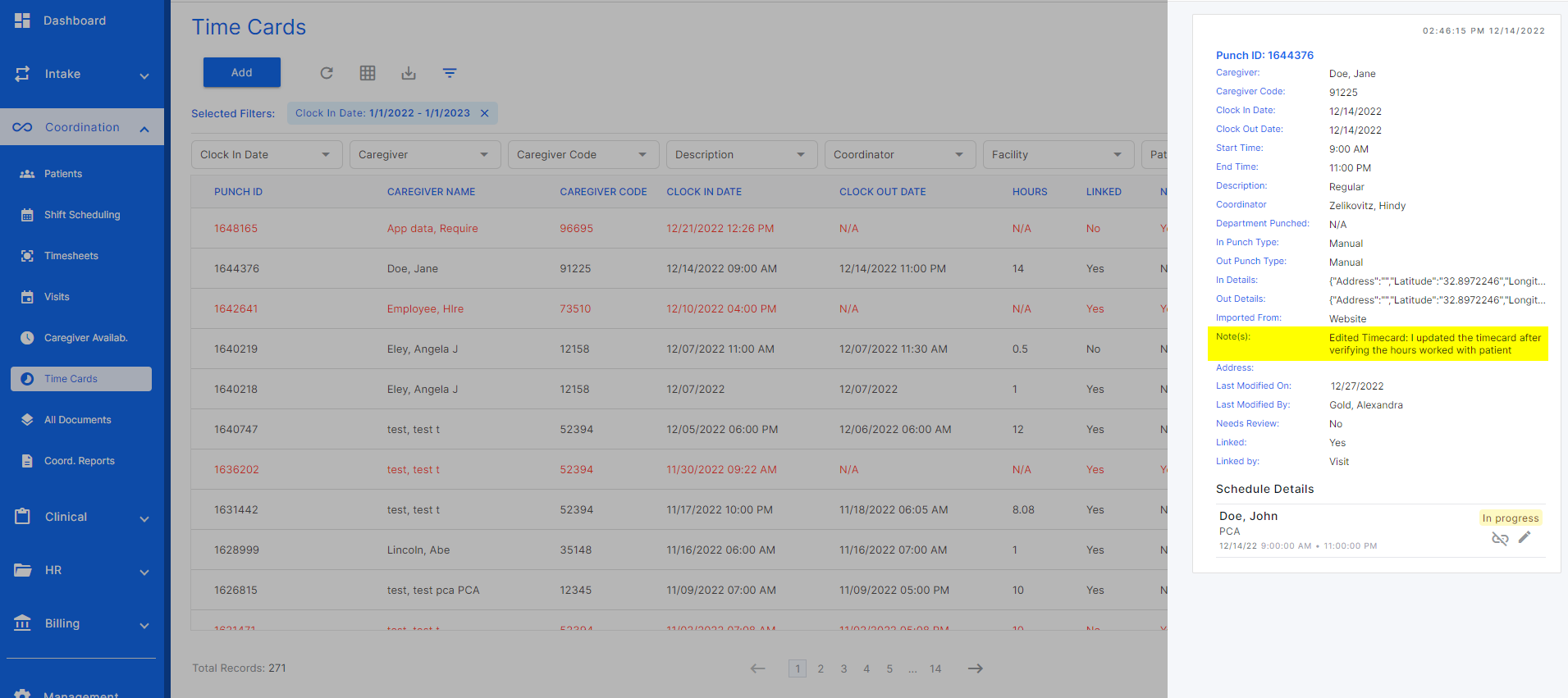
To view this note, click the timecard and the slideout will appear. Here, the timecard note will be listed among the timecard info.
Was this article helpful?
That’s Great!
Thank you for your feedback
Sorry! We couldn't be helpful
Thank you for your feedback
Feedback sent
We appreciate your effort and will try to fix the article