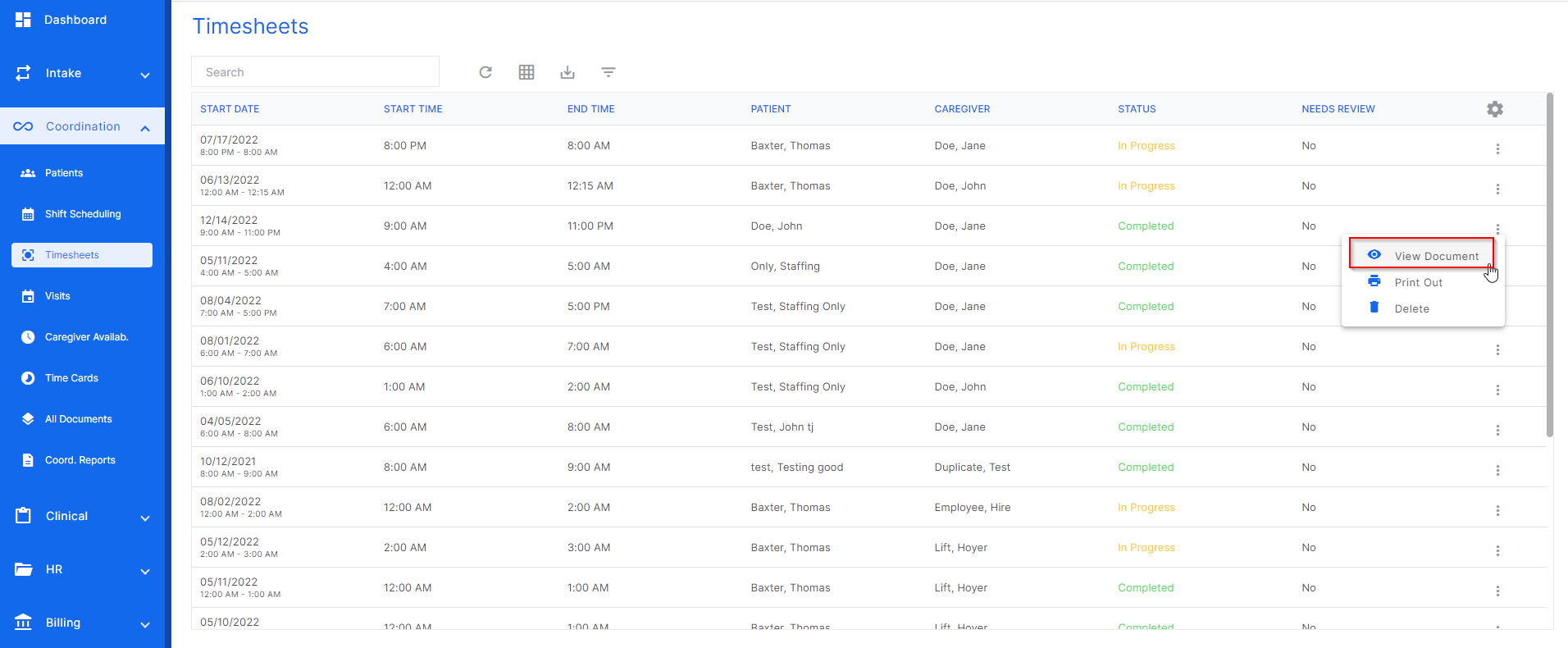
Completed timesheets are converted to a PDF automatically by the system. To view this document, click the three dots at the end of the desired timesheet row and click "view document".
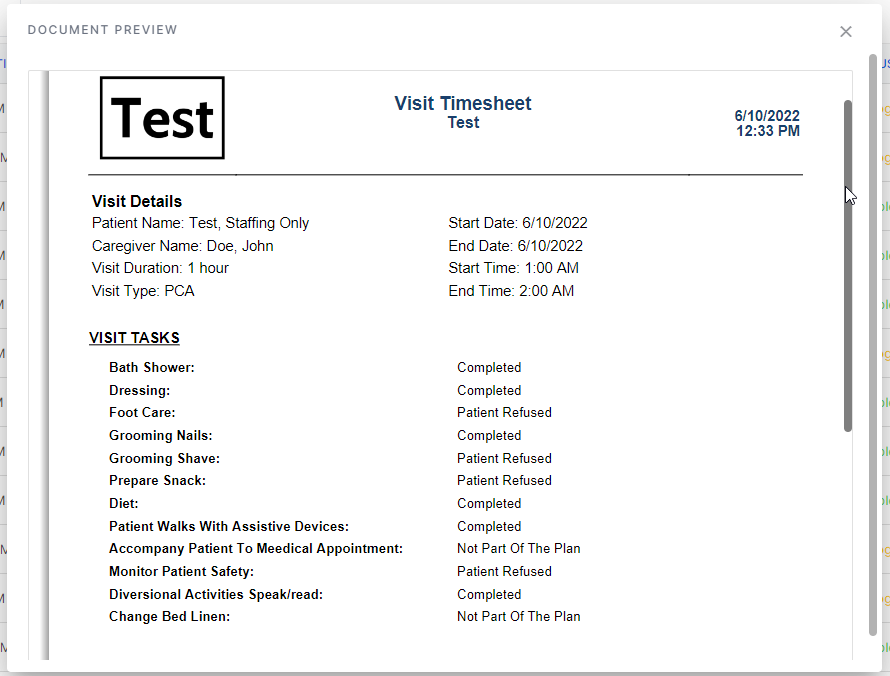
Here is what the completed PDF looks like:
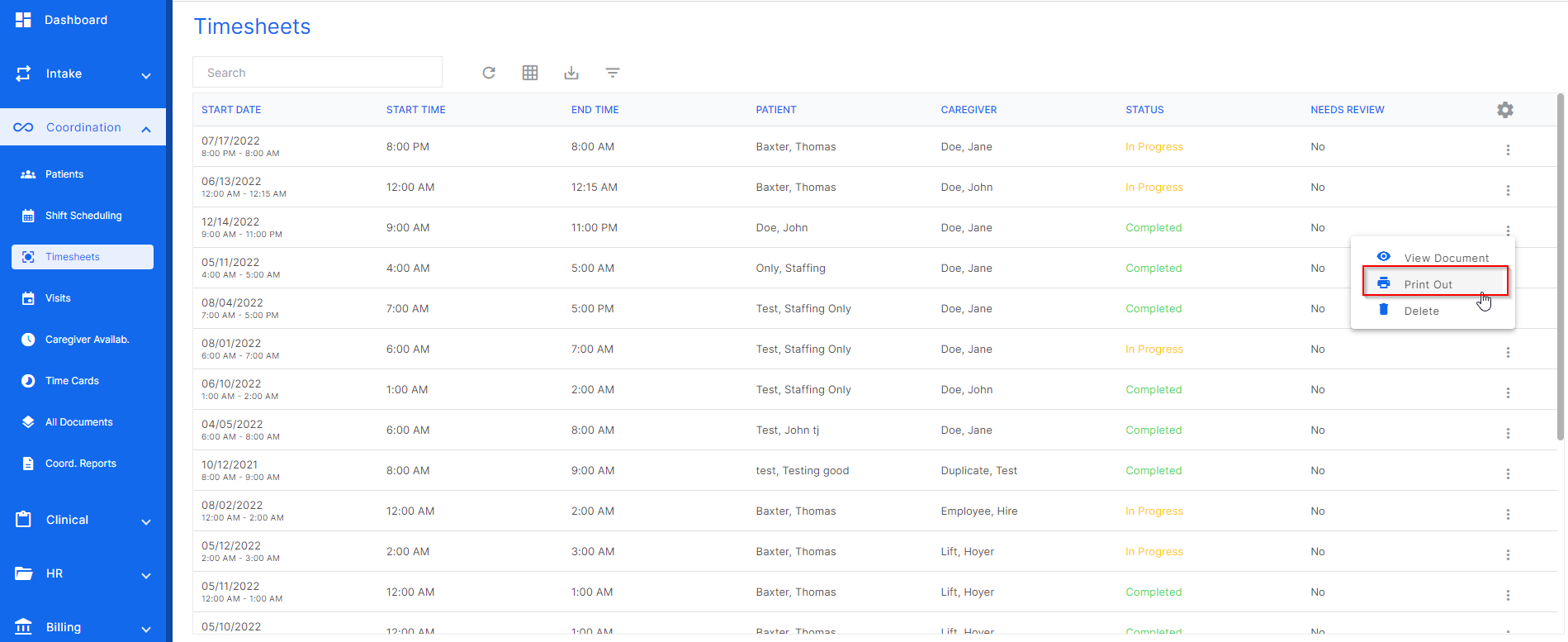
The next action for a completed timesheet is the print out action. Click the three dots at the end of the desired timesheet row and click "print out". The printable PDF will be printed out from the users linked printer to their computer.
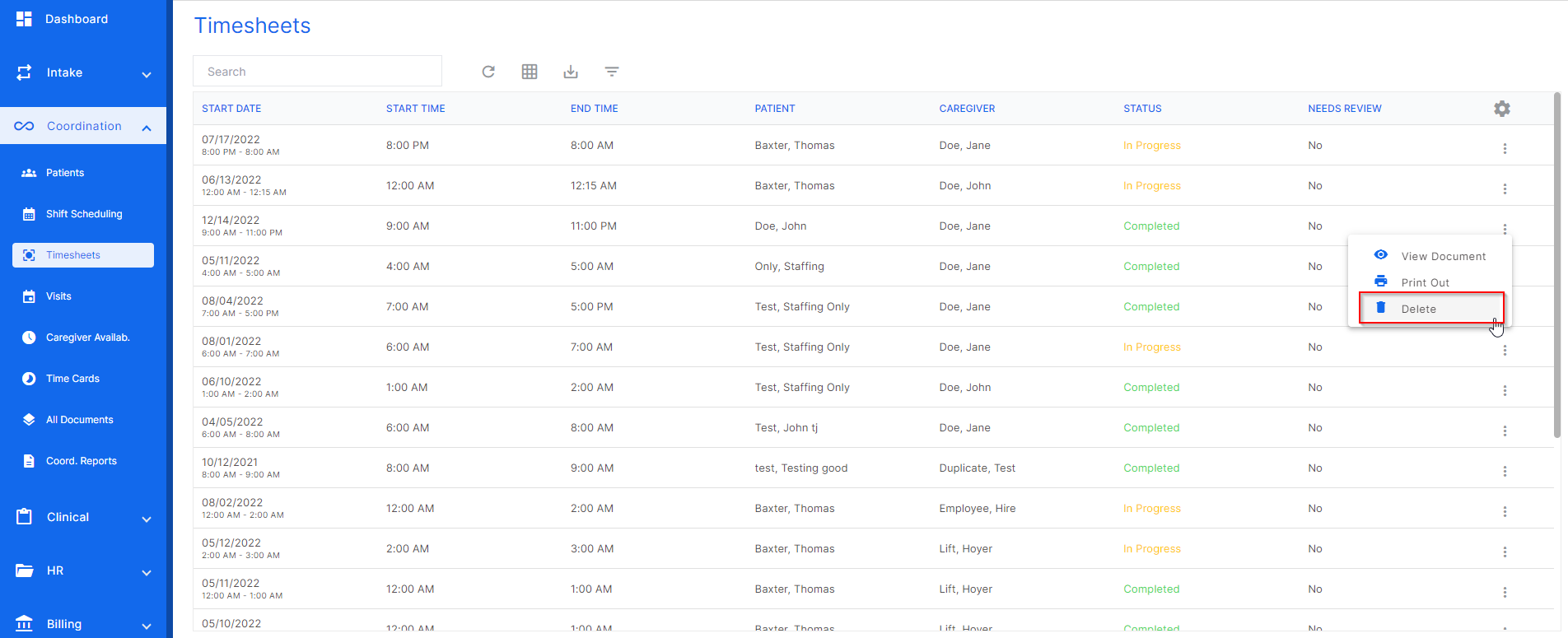
The last action for a completed timesheet is to delete. Click the three dots at the end of the desired timesheet row and click "delete".
Was this article helpful?
That’s Great!
Thank you for your feedback
Sorry! We couldn't be helpful
Thank you for your feedback
Feedback sent
We appreciate your effort and will try to fix the article