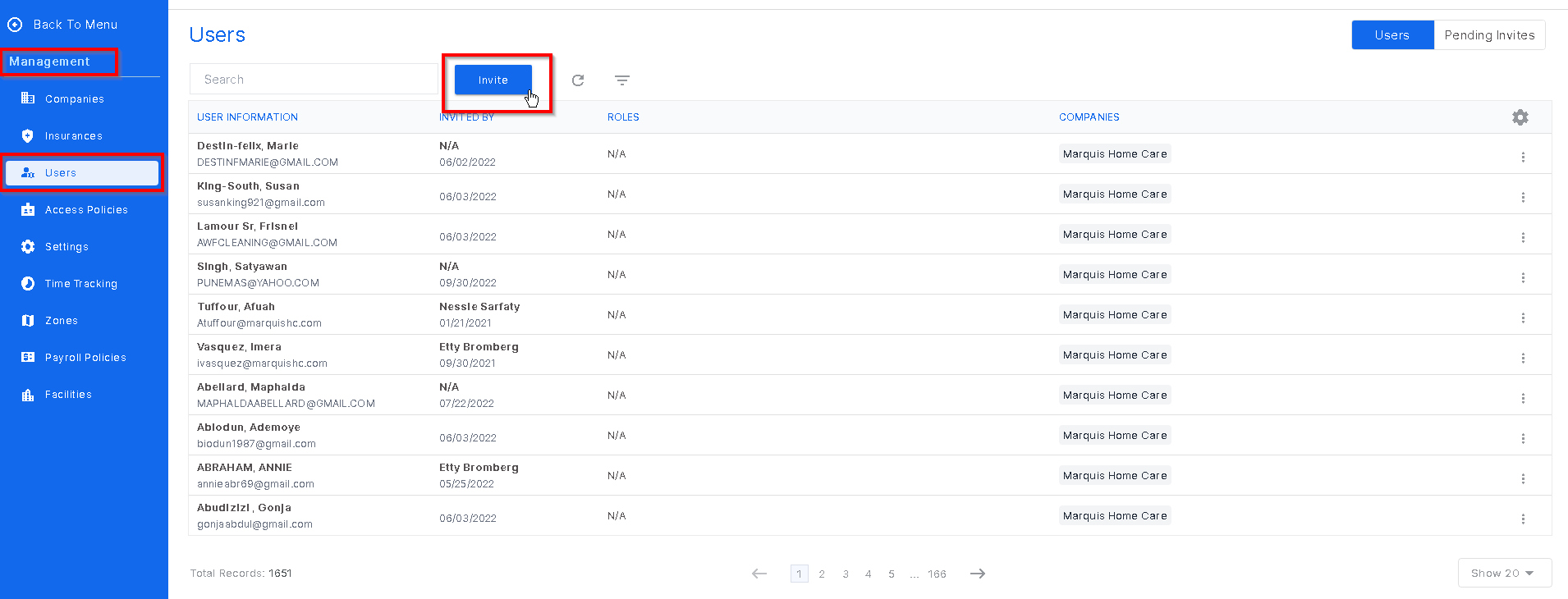
Caregivers will need to be invited to HCM from the Management tab by a user who has these permissions. Go to Management tab and click the drop down. Next, click Users and at the top of the page click Invite.
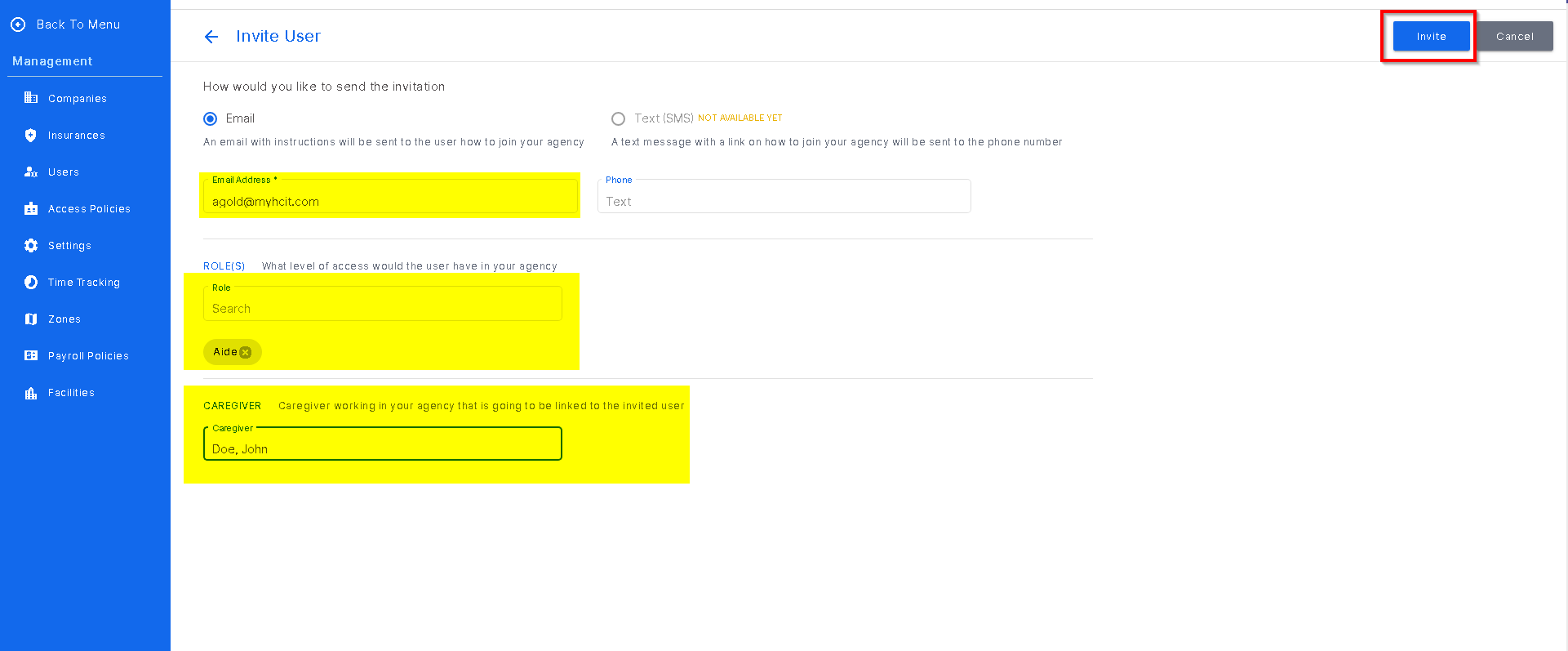
Next, this screen will open and the user should enter the caregivers email. Below that, enter "Aide" for the role. And finally, enter the caregivers name in the Caregiver section so they will be linked to their user. This will allow the caregiver to be linked to their schedule and their dashboard will display correctly.
Was this article helpful?
That’s Great!
Thank you for your feedback
Sorry! We couldn't be helpful
Thank you for your feedback
Feedback sent
We appreciate your effort and will try to fix the article