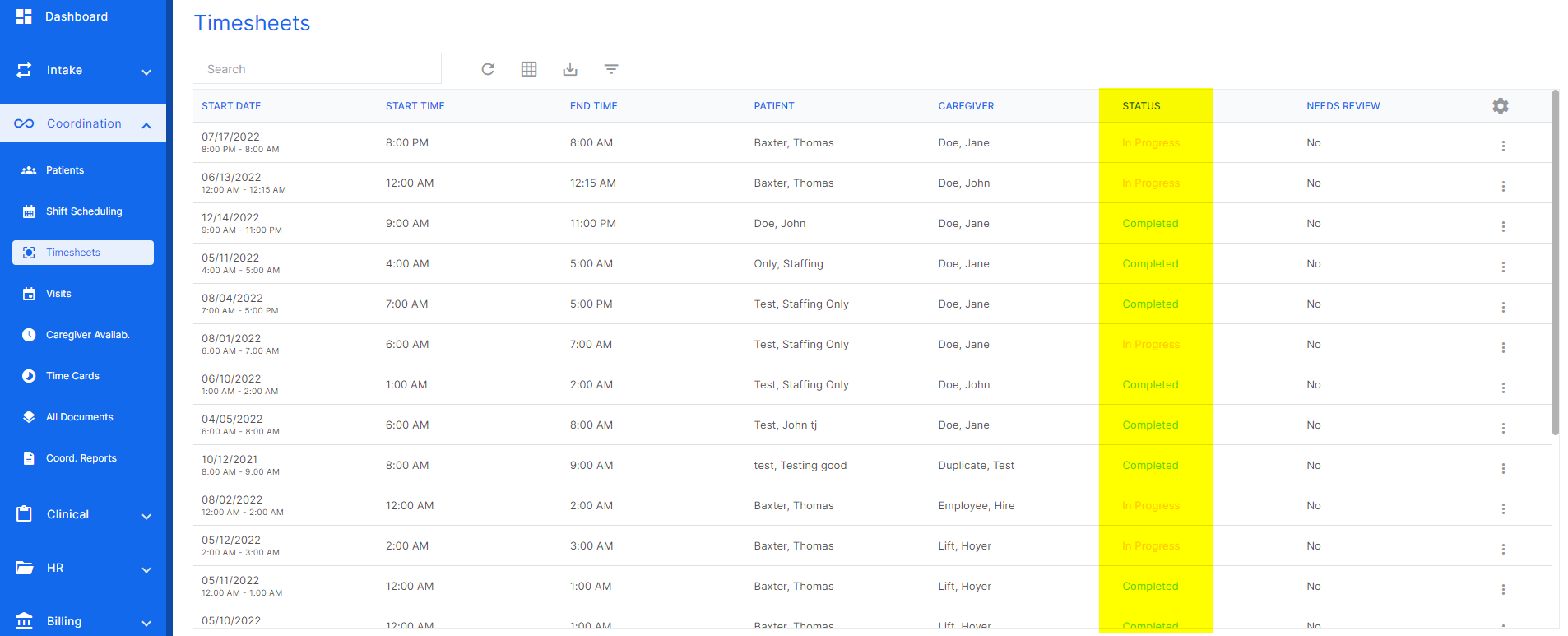
An in-progress e-timesheet is a duty sheet that is incomplete. A user can view an in-progress e-timesheet to see what tasks are incomplete so they can counsel the aide on what needs to be completed. The status of a timesheet can be found in the timesheets list in the highlighted column below.
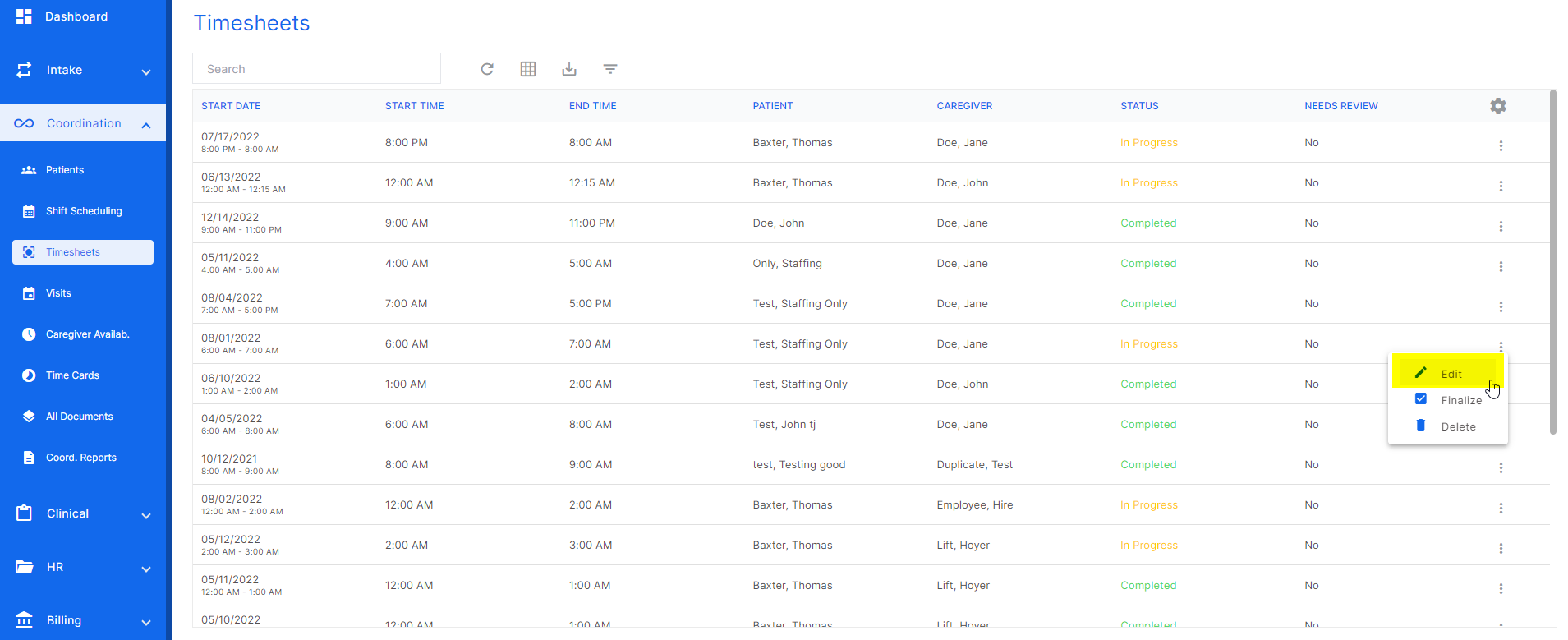
To view the in-progress e-timesheet, click the three dots at the end of the desired timesheet row and click "edit".
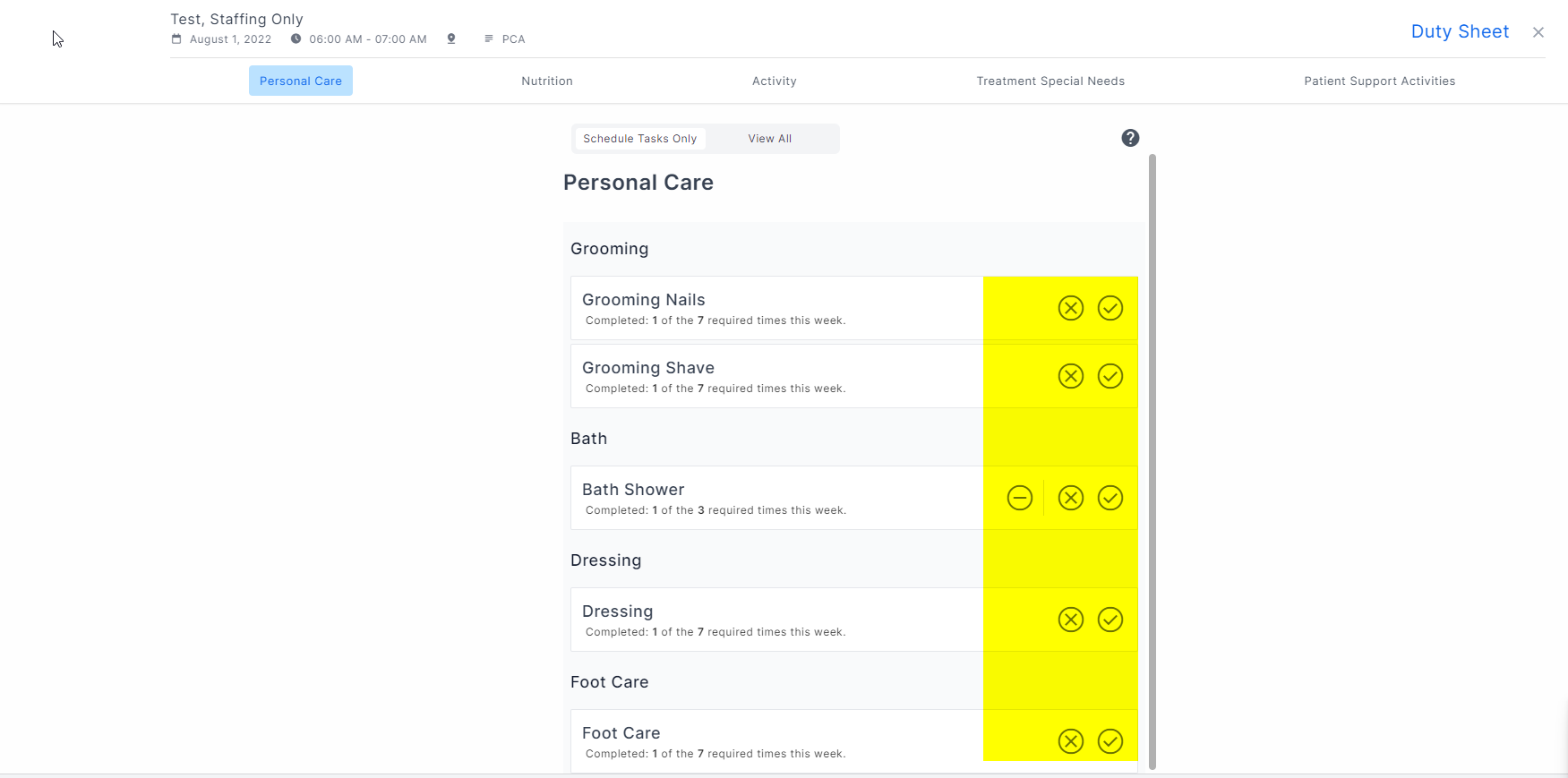
The highlighted area is where the task results are listed. If the tasks does not have a result, that means the aide did not enter a result for that task. An e-timesheet can't be completed until all required tasks have a result.
Was this article helpful?
That’s Great!
Thank you for your feedback
Sorry! We couldn't be helpful
Thank you for your feedback
Feedback sent
We appreciate your effort and will try to fix the article