- Discontinuing cert periods
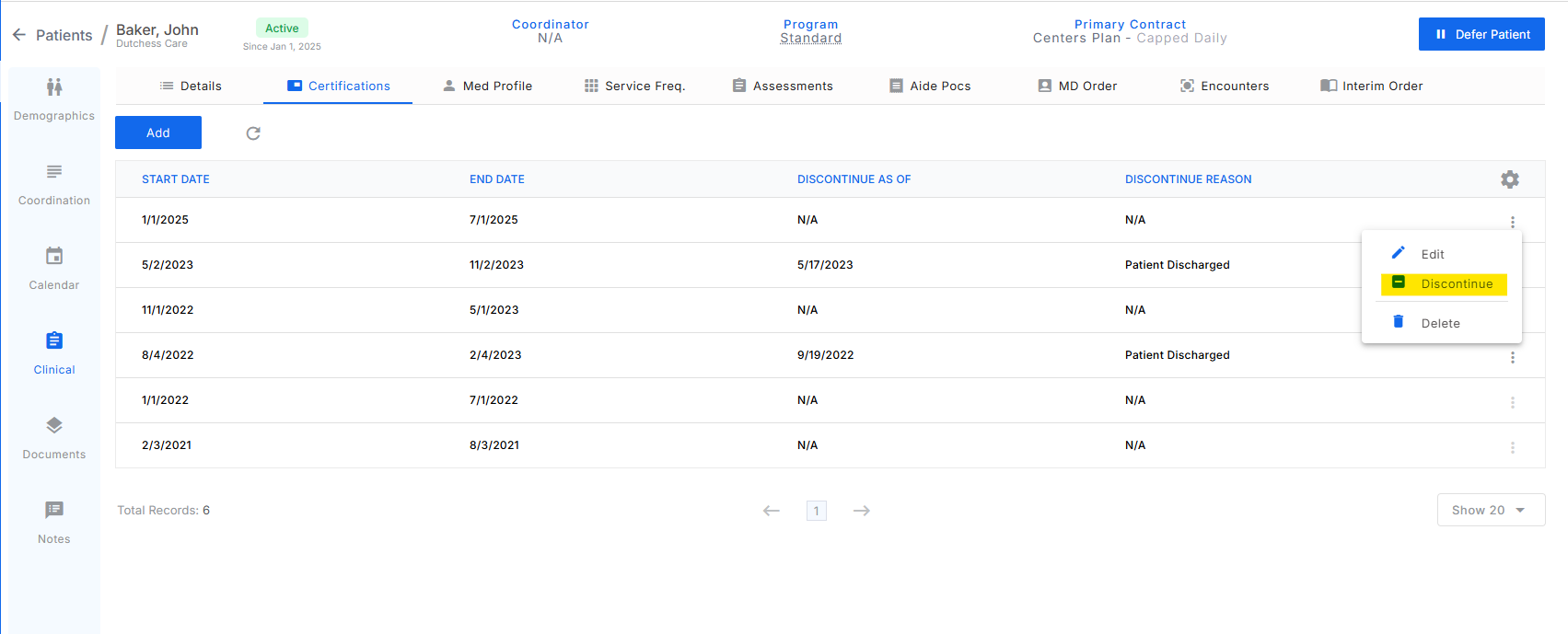
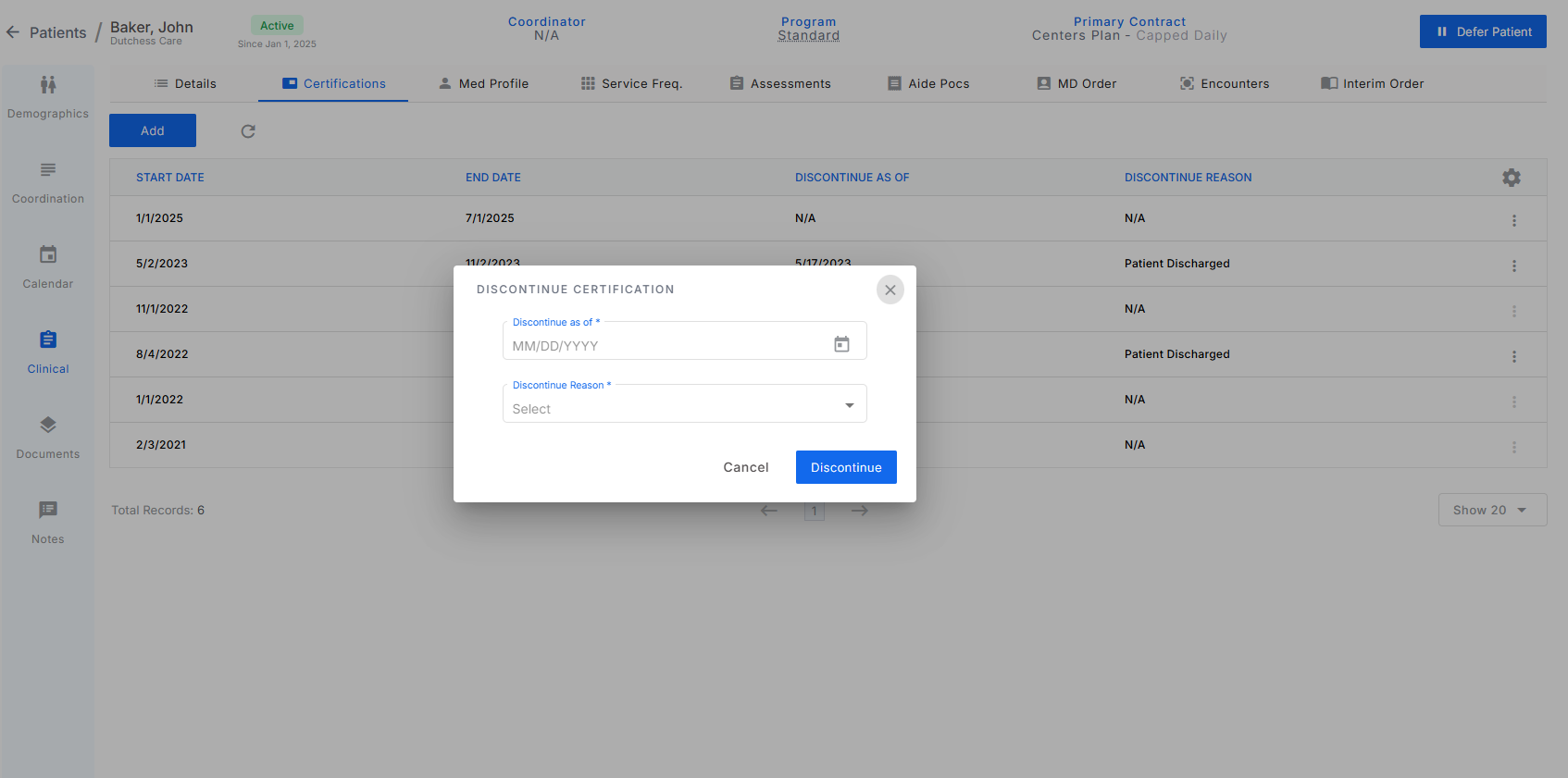
- To discontinue a cert period,click on the 3 dots at the end of the line and click on discontinue cert period. This will bring up a modal with a discontinue as of date and reason in which the date and reason should be entered.
- Once a cert period is discontinued, a new one can be added for the day after.
- Users with the access policy of Can Add Edit Delete Cert Periods have access to discontinue cert periods.
- To discontinue a cert period,click on the 3 dots at the end of the line and click on discontinue cert period. This will bring up a modal with a discontinue as of date and reason in which the date and reason should be entered.
Was this article helpful?
That’s Great!
Thank you for your feedback
Sorry! We couldn't be helpful
Thank you for your feedback
Feedback sent
We appreciate your effort and will try to fix the article