To add a patient to a team and day from Monthly Schedules, click the day of the week and team desired, click the "patients" drop down, and click "assign patients".
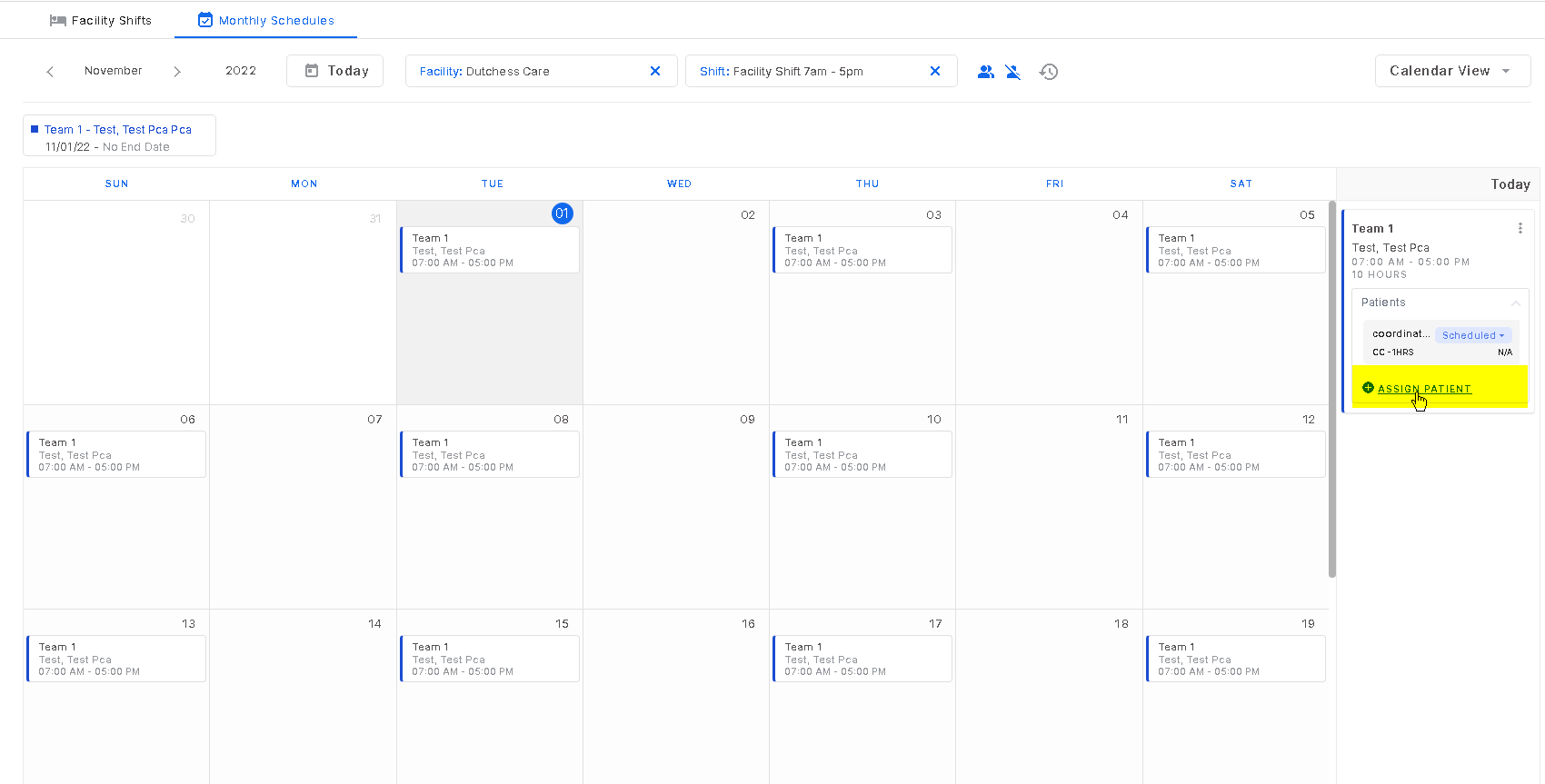
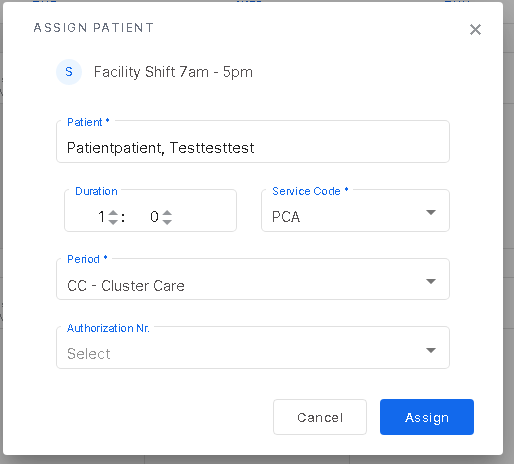
To add a patient here will only add them to that team for that day of the week. Once the add patient screen is open, enter the required fields and click "assign".
Was this article helpful?
That’s Great!
Thank you for your feedback
Sorry! We couldn't be helpful
Thank you for your feedback
Feedback sent
We appreciate your effort and will try to fix the article